
2026 New Year Office Reset: A 4-Phase Guide to a Clean and Clutter-Free Workspace
by Khent Barangas on Feb 27, 2026

A cluttered workspace leads to a cluttered mind. If you want to maximize your productivity this year, you need to start with a clean slate.
The start of the year is the perfect time to deep clean and declutter our home office.
If you don’t know where to start, this guide provides a practical home office cleaning checklist to help you reclaim your space. We will show you exactly how to declutter your home office and organize your office essentials for maximum efficiency.
The Step-by-Step Home Office Reset after the New Year
Phase 1: Deep Clean Your Home Office to Remove Hidden Germs

Did you know your home office essentials might be dirtier than a bathroom? You read that right! Some of your most-used items in your workspace may harbor hundreds to thousands of times more bacteria than a toilet seat. To build a productive WFH office setup, start by clearing this invisible grime.
Sanitize the Keyboard
Keyboards are high-touch surfaces that rarely get washed. That is why they are a vital part of any home office cleaning checklist. Use compressed air to blow out debris, then wipe the keys with 70% isopropyl alcohol to disinfect.
Next, disinfect your mouse and desk phone.
These items collect skin cells and oils throughout the day, creating a hotspot for germs. Keeping these devices sterile is essential for a healthy work-from-home environment. Wipe them down thoroughly, focusing on buttons and scroll wheels.
Tackle the "Forgotten" Areas
A deep clean home office routine should go beyond the electronics. Be sure to include surfaces you touch daily but often overlook. Refresh your workspace by wiping down:
-
Light switches
-
The entire desk surface
-
Rugs and carpets
Phase 2: Declutter Your Home Office

Once your space is sanitized, you must address the visual chaos. Physical clutter competes for your attention and directly impacts your ability to stay focused. To truly declutter your home office, you need to be ruthless about what stays on your desk.
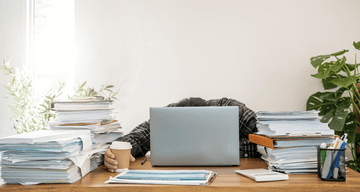
Tackle the "Paper Monster"
Paper clutter is one of the biggest productivity killers. To organize paperwork in home office settings, use the "Scan, Shred, or File" system to process every document on your desk:
-
Scan: Digitizing old documents. A paperless workflow is a key step in maintaining a minimalist home office setup.
-
Shred: Destroy sensitive documents you no longer need, such as expired contracts or old utility bills.
-
File: If you must keep a physical copy, move it off your desk and into a dedicated filing cabinet or storage box.
By clearing the "Paper Monster" now, you ensure your WFH office setup remains professional and open for the rest of the year.
Declutter Your Digital Documents
A minimalist home office setup isn't just about what you can see; it’s about your digital environment, too. Clear your computer desktop of stray screenshots and temporary files. Organize your "Downloads" folder and move active projects into labeled folders.
A clean digital workspace ensures your work-from-home productivity isn't derailed by a frantic search for a missing file.
Items to Toss from Your Home Office
To make room for a productive year, you must remove the "dead weight" from your WFH office setup. Grab a trash bin and quickly purge these common space-wasters:
-
Dried-up pens and markers.
-
Outdated manuals
-
Duplicate or broken cables and chargers.
-
Old receipts that have already been scanned or filed for taxes.
-
Expired snacks or food packaging.
-
Past event invitations
-
Outdated calendars and planners
-
Dried-out rubber bands and rusted paperclips
-
Non-working electronics (old mice, keyboards, or headsets)
-
Dead batteries and empty ink cartridges
-
Mystery keys that no longer have a lock
-
Organizers and bins that don't fit your current desk layout
-
Decorations that no longer inspire you or just collect dust
Phase 3: Optimize Your Setup for Ergonomic Comfort

A minimalist home office setup should be as comfortable and ergonomic as it is clean. Once the clutter is gone, arrange your workspace to prevent strain and maximize your work-from-home productivity.
Align Your Monitor
To avoid "tech neck," position your monitor at eye level and an arm’s length away. If you use a laptop, place it on a stand and use an external keyboard. This ensures your posture stays upright and energized throughout the day.
Follow the 90-Degree Rule
Adjust your chair so your elbows, hips, and knees are bent at 90-degree angles with your feet flat on the floor. Proper alignment is the most critical part of a professional WFH office setup, as it reduces lower back pressure and improves circulation.
Evaluate Your Office Chair
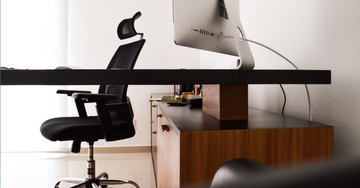
If you can’t achieve proper alignment, it may be time for an upgrade. Look for an office chair with ergonomic features like lumbar support, seat depth, and armrests. If your current chair has saggy cushions or causes persistent back pain, check out our latest collection of office chairs to find the right match for your body and style.
Optimize Your Reach
Place your daily essentials—like your water bottle and notebook—within a comfortable radius. Strategic placement prevents repetitive overstretching and keeps your desktop surface looking organized and intentional.
Phase 4: Maintenance for a Lasting Office Reset

The hardest part of a new year office reset is keeping the space clean. Incorporate these habits to prevent clutter from returning to your home office setup.
Use the "End-of-Day" Reset
Spend five minutes at the end of every shift clearing your workspace. Return pens to holders, file loose papers, and remove dishes. Starting your morning with a clear surface is the fastest way to boost productivity.
Weekly Sanitization and Equipment Care
Every Friday, use a disinfectant wipe on "high-touch" areas like your mouse, keyboard, and phone. Keeping this part of your home office cleaning checklist consistent ensures your environment stays healthy year-round.
Apply the "One-In, One-Out" Rule
To prevent clutter creep, adopt a "one-in, one-out" policy for all office supplies and decor. If you buy a new notebook or accessory, donate or recycle an old one. This keeps your home office cleaning checklist manageable and your desk clear of excess.
Inspect and Tighten Hardware
Once a month, check the structural integrity of your workspace. Tighten any loose screws on your office chair, monitor arms, or desk legs. Checking these connections prevents long-term damage and ensures your ergonomic setup remains stable and safe.
Monthly Digital Declutter
Spend ten minutes at the end of each month clearing your "Downloads" folder and emptying your digital trash bin. A tidy digital workspace prevents mental fatigue and keeps your computer running efficiently.
FAQs for Your 2026 Home Office Reset
How often should I deep clean my home office?
Perform a deep clean once every quarter. However, "high-touch" items like your mouse, keyboard, and phone should be sanitized weekly to prevent the buildup of germs and bacteria.
What is the fastest way to declutter a home office?
Use the "Scan-Shred-File" method. Quickly scan important documents to your cloud storage, shred unnecessary papers, and file only the essential physical copies. This immediately clears your desk of the "Paper Monster."
When should I replace my office chair for better ergonomics?
You should replace your chair if the cushions have lost their support, the frame squeaks, or you experience persistent back pain despite making adjustments. Upgrading to a chair with adjustable lumbar support is a vital investment in your health.
Achieve a Clean and Clutter-Free Home Office in 2026
By deep cleaning, removing physical clutter, and optimizing your ergonomics, you have built a minimalist home office setup ready for 2026. Stay consistent with your daily resets and equipment maintenance to keep your workspace sterile and organized all year long.
Ready to complete your workspace transformation? Visit our official stores on Lazada, Shopee, and TikTok to explore our latest ergonomic chairs and office essentials.